
Your Go-To Resource for Business Technology & Cybersecurity
Fort Worth Construction Ransomware
Fort Worth Construction Ransomware
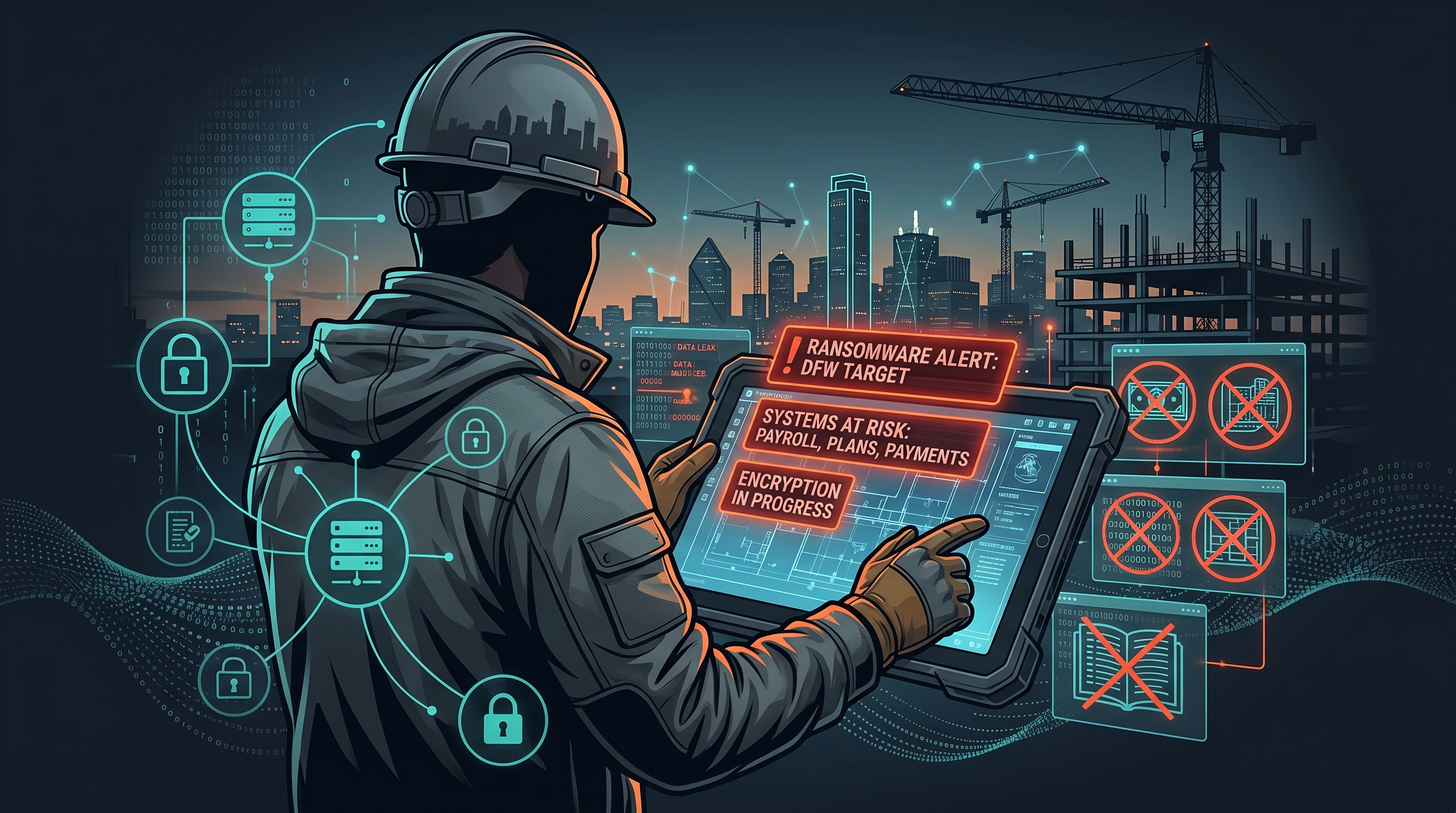
So here’s the blunt version. Construction is now one of the biggest ransomware targets in the country, and if you run a Fort Worth construction company, that should get your attention. TechTarget listed construction and engineering as the No. 2 ransomware target by industry in early 2026. And CISA, the FBI, and MS-ISAC said Medusa alone had already hit more than 300 victims. That’s not hype. That’s the environment contractors are working in right now.
And if I’m being honest, most small and midsize construction companies still have the same few weak spots. Shared logins. Loose remote access. Field laptops that never really get cleaned up. Payment approvals happening over email like that’s somehow safe. One bad click in that kind of setup doesn’t just create an IT headache. It can stall a job, delay billing, jam up payroll, and put the owner in cleanup mode before lunch.
So this matters because downtime in construction gets expensive fast. If your project manager can’t pull plans, your accounting team can’t release payments, or your super can’t get the latest drawing set, crews are still standing there. Subs still need answers. Customers still expect movement. That’s why I don’t look at ransomware as just a cybersecurity problem. I look at it as an operations and cash flow problem.
Why construction keeps getting hit
Construction companies are attractive targets for one simple reason. The business moves fast, and fast-moving businesses usually tolerate more risk than they realize. You’ve got office staff, PMs, supers, field devices, accounting systems, shared file environments, and outside vendors all touching the same workflow. And a lot of it depends on people being able to log in from anywhere.
CISA says common entry points include phishing, unpatched software, and exposed remote access. That lines up almost perfectly with how many contractors work day to day. Someone opens a fake invoice. Someone reuses a password. Some old remote access tool is still hanging around because nobody wanted to break it mid-project. And then from there, attackers move laterally, look for file shares, hunt for backups, and start applying pressure where it hurts.
And this isn’t just happening to giant firms with national footprints. Google News surfaced an April 2026 report that Qilin hit UK construction firm TIS. Another February 2026 report tied Akira to Williams Brothers Construction. Different firms, different geography, same lesson. Attackers know contractors can’t afford to sit still for three days while systems are down. That urgency is exactly what makes the industry valuable to them.
Email and payment workflows are usually the first crack in the wall
So if you want the first place I’d check, it’s email. Not because email is exciting. Because it’s where a lot of the real damage starts. A fake subcontractor message, a spoofed payment change request, or a compromised Microsoft 365 mailbox can give an attacker everything they need to watch conversations and step into the middle of a financial workflow.
I’ve seen businesses focus all their energy on antivirus while their inbox rules are a complete mess. That’s backwards. If someone gets into email, they can set forwarding rules, hide messages, impersonate employees, and wait for the right AP conversation to pop up. Now you’re not just worried about ransomware. You’re dealing with business email compromise, fraudulent payment requests, and a cleanup process that touches finance, legal, and operations at the same time.
What to do first:
Turn on MFA for every user, not just admins.
Review mailbox forwarding rules and sign-in alerts.
Put phishing and attachment filtering in place.
Require verbal verification for bank account changes and urgent payment requests.
Shut off old accounts the same day someone leaves.
That’s not overkill. That’s basic protection around the part of your business attackers love most.
Shared credentials create bigger damage than most owners realize
And the next issue is credential sprawl. This is where Procore, Buildertrend, Sage, SharePoint, Microsoft 365, and all the little side systems start becoming one big risk chain. If multiple people share accounts, if passwords are reused, or if former employees and vendors still have access, one stolen login can expose way more than people think.
What’s wild is how often this shows up in otherwise good businesses. The company runs well. The jobs are moving. The owner is sharp. But then you find passwords in a spreadsheet, one login being shared by three people, or an old estimator who left eight months ago still tied into a key platform. That’s the kind of thing attackers hope for.
And this ties back to what the FBI put out in March 2025. Their public service announcement described how China-linked contractors and freelance hackers sold stolen access and data from U.S. victims, including private-sector organizations. In other words, the attack market is specialized now. One group steals access. Another group buys it. Another group deploys ransomware. So you don’t need to be a huge target. You just need to be easy to enter.
What I’d lock down:
Every user gets their own account. No shared credentials.
Use a password manager instead of spreadsheets or phone notes.
Limit admin rights to the people who truly need them.
Review vendor and former employee access quarterly.
Turn on MFA anywhere your core apps support it.
That cleanup alone can shrink your exposure fast.
Field laptops and remote access can turn one click into a company-wide outage
So let’s talk about the field side, because this is where convenience usually wins. Supers and PMs are busy. They’re opening drawings from the truck, logging in from home, connecting on whatever network is available, and trying to keep jobs moving. I get it. But old laptops, delayed updates, local admin rights, and leftover remote-access tools are exactly how ransomware spreads once it lands.
And this is where a lot of owners have false confidence. They think, well, we back up Microsoft 365, or the RMM says the device is online, so we’re probably okay. Not necessarily. If the endpoint is weak and attackers can move into shared files or line-of-business systems, that “probably okay” turns into a very long week.
CISA’s Medusa advisory called out phishing, unpatched software, and exposed remote access as common ways in. That should sound familiar, because those are the same issues I see over and over in small construction environments. Not crazy sophisticated stuff either. Just neglected basics.
What to tighten up:
Deploy managed endpoint detection and response on every office and field device.
Enforce patching on laptops, servers, and network gear.
Encrypt devices in case one gets lost or stolen.
Review every remote-access path and remove what nobody actually needs.
Make sure someone can isolate an infected laptop fast.
If a PM clicks the wrong attachment at 6:00 a.m., you want containment in minutes, not after lunch.
Your cyber insurance only helps if your controls match reality
And this is the part a lot of owners don’t want to hear. Cyber insurance is not a substitute for doing the work. It can absolutely help. But it helps a lot less if your actual environment doesn’t match what was represented on the application.
I’ve seen businesses assume they’re covered because they checked the policy box a year ago. Then a carrier starts asking whether MFA was really enforced everywhere, whether backups were actually immutable, whether remote access was locked down, whether the payment workflow followed policy. If those answers get shaky, now you’ve got an incident and a coverage problem sitting right next to each other.
So before something happens, compare your policy requirements to your real setup. Not the setup you think you have. The one you can prove. If there’s a gap, fix it now while you still have time.
What a smart Fort Worth contractor should do this week
So if you want the practical version, here’s where I’d start this week. Not next quarter. This week.
Audit Microsoft 365 for MFA, forwarding rules, stale accounts, and risky sign-ins.
Review who has access to Procore, Buildertrend, Sage, file shares, and SharePoint.
Check whether field laptops are patched, encrypted, and protected with managed security tools.
Test your backups and confirm they can’t be changed or deleted easily.
Review your payment approval process so bank changes never get approved by email alone.
Compare your cyber insurance requirements to your actual controls.
That’s the stuff that lowers risk in the real world. Not a fancy report. Not fear-based noise. Just getting the basics right in the places where construction companies usually get exposed first.
And the payoff is simple. Fewer payroll delays. Less billing disruption. Lower odds of AP fraud. Better odds that one employee mistake stays one employee mistake instead of becoming a company-wide outage. Even one lost day can cost thousands in labor, delayed draws, rework, and emergency response. So yeah, security costs money. But downtime costs more.
If you’re worried about this specifically, read our full breakdown right here and use it as a checklist against your own setup.
And if you want a straight answer on whether your current setup is actually holding up, book a 15-minute call. No sales pitch, just an honest read.

Ready For A No-Nonsense Approach To IT?
Hire us to set your IT strategy up for sustainable success.
Learn about our proven No-Nonsense approach.
Get an IT roadmap designed specifically for you.
Fearlessly grow your business.
Schedule a Call
It all starts with a one-on-one IT consultation:
Fill in our quick form
We’ll schedule an introductory phone call
We’ll take the time to listen and plan the next steps
Enter your name and email to get started today.
Featured Posts
Fort Worth Construction Ransomware
Fort Worth Construction Ransomware
So here’s the blunt version. Construction is now one of the biggest ransomware targets in the country, and if you run a Fort Worth construction company, that should get your attention. TechTarget listed construction and engineering as the No. 2 ransomware target by industry in early 2026. And CISA, the FBI, and MS-ISAC said Medusa alone had already hit more than 300 victims. That’s not hype. That’s the environment contractors are working in right now.
And if I’m being honest, most small and midsize construction companies still have the same few weak spots. Shared logins. Loose remote access. Field laptops that never really get cleaned up. Payment approvals happening over email like that’s somehow safe. One bad click in that kind of setup doesn’t just create an IT headache. It can stall a job, delay billing, jam up payroll, and put the owner in cleanup mode before lunch.
So this matters because downtime in construction gets expensive fast. If your project manager can’t pull plans, your accounting team can’t release payments, or your super can’t get the latest drawing set, crews are still standing there. Subs still need answers. Customers still expect movement. That’s why I don’t look at ransomware as just a cybersecurity problem. I look at it as an operations and cash flow problem.
Why construction keeps getting hit
Construction companies are attractive targets for one simple reason. The business moves fast, and fast-moving businesses usually tolerate more risk than they realize. You’ve got office staff, PMs, supers, field devices, accounting systems, shared file environments, and outside vendors all touching the same workflow. And a lot of it depends on people being able to log in from anywhere.
CISA says common entry points include phishing, unpatched software, and exposed remote access. That lines up almost perfectly with how many contractors work day to day. Someone opens a fake invoice. Someone reuses a password. Some old remote access tool is still hanging around because nobody wanted to break it mid-project. And then from there, attackers move laterally, look for file shares, hunt for backups, and start applying pressure where it hurts.
And this isn’t just happening to giant firms with national footprints. Google News surfaced an April 2026 report that Qilin hit UK construction firm TIS. Another February 2026 report tied Akira to Williams Brothers Construction. Different firms, different geography, same lesson. Attackers know contractors can’t afford to sit still for three days while systems are down. That urgency is exactly what makes the industry valuable to them.
Email and payment workflows are usually the first crack in the wall
So if you want the first place I’d check, it’s email. Not because email is exciting. Because it’s where a lot of the real damage starts. A fake subcontractor message, a spoofed payment change request, or a compromised Microsoft 365 mailbox can give an attacker everything they need to watch conversations and step into the middle of a financial workflow.
I’ve seen businesses focus all their energy on antivirus while their inbox rules are a complete mess. That’s backwards. If someone gets into email, they can set forwarding rules, hide messages, impersonate employees, and wait for the right AP conversation to pop up. Now you’re not just worried about ransomware. You’re dealing with business email compromise, fraudulent payment requests, and a cleanup process that touches finance, legal, and operations at the same time.
What to do first:
Turn on MFA for every user, not just admins.
Review mailbox forwarding rules and sign-in alerts.
Put phishing and attachment filtering in place.
Require verbal verification for bank account changes and urgent payment requests.
Shut off old accounts the same day someone leaves.
That’s not overkill. That’s basic protection around the part of your business attackers love most.
Shared credentials create bigger damage than most owners realize
And the next issue is credential sprawl. This is where Procore, Buildertrend, Sage, SharePoint, Microsoft 365, and all the little side systems start becoming one big risk chain. If multiple people share accounts, if passwords are reused, or if former employees and vendors still have access, one stolen login can expose way more than people think.
What’s wild is how often this shows up in otherwise good businesses. The company runs well. The jobs are moving. The owner is sharp. But then you find passwords in a spreadsheet, one login being shared by three people, or an old estimator who left eight months ago still tied into a key platform. That’s the kind of thing attackers hope for.
And this ties back to what the FBI put out in March 2025. Their public service announcement described how China-linked contractors and freelance hackers sold stolen access and data from U.S. victims, including private-sector organizations. In other words, the attack market is specialized now. One group steals access. Another group buys it. Another group deploys ransomware. So you don’t need to be a huge target. You just need to be easy to enter.
What I’d lock down:
Every user gets their own account. No shared credentials.
Use a password manager instead of spreadsheets or phone notes.
Limit admin rights to the people who truly need them.
Review vendor and former employee access quarterly.
Turn on MFA anywhere your core apps support it.
That cleanup alone can shrink your exposure fast.
Field laptops and remote access can turn one click into a company-wide outage
So let’s talk about the field side, because this is where convenience usually wins. Supers and PMs are busy. They’re opening drawings from the truck, logging in from home, connecting on whatever network is available, and trying to keep jobs moving. I get it. But old laptops, delayed updates, local admin rights, and leftover remote-access tools are exactly how ransomware spreads once it lands.
And this is where a lot of owners have false confidence. They think, well, we back up Microsoft 365, or the RMM says the device is online, so we’re probably okay. Not necessarily. If the endpoint is weak and attackers can move into shared files or line-of-business systems, that “probably okay” turns into a very long week.
CISA’s Medusa advisory called out phishing, unpatched software, and exposed remote access as common ways in. That should sound familiar, because those are the same issues I see over and over in small construction environments. Not crazy sophisticated stuff either. Just neglected basics.
What to tighten up:
Deploy managed endpoint detection and response on every office and field device.
Enforce patching on laptops, servers, and network gear.
Encrypt devices in case one gets lost or stolen.
Review every remote-access path and remove what nobody actually needs.
Make sure someone can isolate an infected laptop fast.
If a PM clicks the wrong attachment at 6:00 a.m., you want containment in minutes, not after lunch.
Your cyber insurance only helps if your controls match reality
And this is the part a lot of owners don’t want to hear. Cyber insurance is not a substitute for doing the work. It can absolutely help. But it helps a lot less if your actual environment doesn’t match what was represented on the application.
I’ve seen businesses assume they’re covered because they checked the policy box a year ago. Then a carrier starts asking whether MFA was really enforced everywhere, whether backups were actually immutable, whether remote access was locked down, whether the payment workflow followed policy. If those answers get shaky, now you’ve got an incident and a coverage problem sitting right next to each other.
So before something happens, compare your policy requirements to your real setup. Not the setup you think you have. The one you can prove. If there’s a gap, fix it now while you still have time.
What a smart Fort Worth contractor should do this week
So if you want the practical version, here’s where I’d start this week. Not next quarter. This week.
Audit Microsoft 365 for MFA, forwarding rules, stale accounts, and risky sign-ins.
Review who has access to Procore, Buildertrend, Sage, file shares, and SharePoint.
Check whether field laptops are patched, encrypted, and protected with managed security tools.
Test your backups and confirm they can’t be changed or deleted easily.
Review your payment approval process so bank changes never get approved by email alone.
Compare your cyber insurance requirements to your actual controls.
That’s the stuff that lowers risk in the real world. Not a fancy report. Not fear-based noise. Just getting the basics right in the places where construction companies usually get exposed first.
And the payoff is simple. Fewer payroll delays. Less billing disruption. Lower odds of AP fraud. Better odds that one employee mistake stays one employee mistake instead of becoming a company-wide outage. Even one lost day can cost thousands in labor, delayed draws, rework, and emergency response. So yeah, security costs money. But downtime costs more.
If you’re worried about this specifically, read our full breakdown right here and use it as a checklist against your own setup.
And if you want a straight answer on whether your current setup is actually holding up, book a 15-minute call. No sales pitch, just an honest read.
Enroll in Our Email Course

Learn How a No-Nonsense IT Strategy Benefits Your ComBullet listpany:
Strategies to allocate your IT budget efficiently
Enhance cybersecurity defenses on a bButtonudget
Ensure your technology investments continue to serve your business as it grows

© Copyright 2026 Inman Technologies | Privacy Policy | SMS Opt-In


