IT Solutions Designed With Healthcare Organizations In Mind
A practice manager and a front-desk lead share the same IT pressure points: an EHR slow at 7:30 when the day starts, a payment terminal that would not print, and a phishing email aimed at the office accountant before lunch.
NetConnect has been the IT partner to NY and NJ small organizations since 1992, and our engineers know HIPAA, the cyber renewal questionnaire, and the EHR uptime window the way your practice manager knows the schedule and the front-desk handoff.
What Our Healthcare IT Does For You Daily
Keep the office network, exam-room terminals, and front-desk PCs healthy daily.
Carry the network path to the EHR and the practice management vendor.
Protect patient charts, imaging files, and billing data from loss or theft.
Patch staff laptops, exam-room terminals, and office desktops on a schedule.
Back up the practice records and imaging archives on a documented routine.
We Believe In Earning Your Trust Through Proven Results, Not A Glossy Sales Deck
Here Is What Thirty-FOUR Years Of doing the work Has meant To Our Clients:

A NetConnect Client For Over 20 Years
"I want to express my heartfelt gratitude to the NetConnect team. They're always there for us, showing true dedication in sales and support. In emergencies, they're lightning-fast, unlike other vendors. NetConnect truly delivers on their promises.."
Private Education

NetConnect Takes a Multi-Tiered Approach
"They respond promptly to our time-sensitive needs and consistently exceed our expectations. Their transparent approach prioritizes quality within our budget, with a focus on long-term success. They invest in employee development for top-notch service, and truly understand our business"
Not-For- Profit

Top Notch Service From A Top Notch Company
"It's reassuring to have responsive IT support and knowing that skilled technicians are always ready to ensure our systems run smoothly. Their proactive monitoring, data backup, and security measures provide peace of mind."
Wealth Management
How We Keep Healthcare IT Reliable & Secure
A practice manager at a medical office and a front-desk lead at a dental practice do not look alike from the outside, but their IT stacks carry the same weight. EHR access, exam-room terminals, patient Wi-Fi, billing, and a HIPAA file folder that does not care if the network is having a quiet week.
EHR Stays Available
The EHR is the practice. Every chart pull, claim submission, and patient lookup runs through it, and the network and the backup behind it have to hold at intake speed.
Charts Stay Protected
Patient charts, imaging files, and billing entries are the practice's record. Backup, encryption, and access controls run behind them so the records stay available and stay private at every shift.
One Source for Support
The EHR support, the Microsoft 365 tenant, the office switch, and the practice phone system all land on the same operations console. They hear one voice from the IT partner.
Tuned To The Schedule
Practices move on the patient schedule, the cyber renewal, and the payer audit, not the IT vendor's quarter. Hardware, training, and renewals line up with windows the practice manager tracks.



Healthcare IT Can Be Extremely Complex
Calls from a practice into NetConnect tend to start somewhere familiar: an EHR slow on Monday morning at 7:30 when the schedule kicks off, a phishing email opened on the office manager's laptop before lunch, or a payment terminal that won't print at the end of the day.
Those situations all share one shape. The IT arrangement grew as the practice added providers and locations, the consultant who first set up the EHR moved on two vendors ago, and nobody has a current list of which laptops carry the patient chart files.
Why Work With Us?
Our operations console has carried tri-state small organizations since 1992, which means HIPAA reviews, cyber insurance renewal questionnaires, and the EHR-uptime pressure a working practice runs on have all been part of the day. The same approach we bring to a physician practice, a dental office, or a specialty group is the one we bring to the rest of our regulated-SMB book.
When a practice phones NetConnect, the ticket would join the Staten Island operations queue alongside a financial firm's exam response or a non-profit's grant deadline. An EHR slow-down or a HIPAA data request would get the same named crew, the same documented runbook, and the same plain-English status update.
Office Network And Front-Desk Connectivity
Office Networks, Front-Desk PCs, And Exam-Room Devices
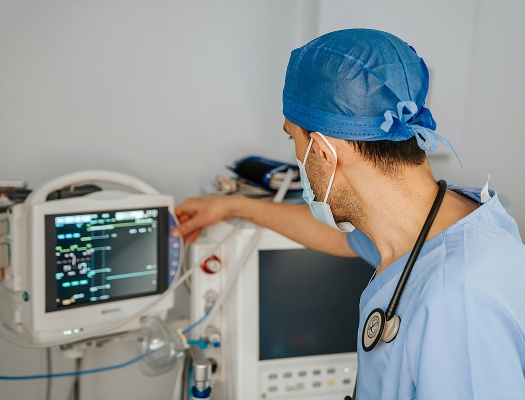
Healthcare practices run two networks at the same time, an office backbone that carries the EHR, the practice management system, and Microsoft 365, and a clinical zone where exam-room terminals, imaging stations, and front-desk PCs all have to stay reachable through the patient day. Our team designs the office LAN, the exam-room wireless built for steady EHR access, and the patient Wi-Fi separated from the clinical network on the same gear so the front-desk PC, the provider laptop, and the patient guest device all land on the right segment without five separate passwords.
Network coverage at a healthcare practice is not a single box in the IT closet. The front desk has one set of devices, the exam rooms have another, and the providers carry a third on rounding. A patient chart pulled in an exam room at 9:15 has to land on the same record the front desk sees at checkout twenty minutes later. Here is what coverage looks like across a typical clinic week.
Office LAN and wireless built for EHR and practice management traffic.
Front-desk PCs, exam-room terminals, and imaging stations enrolled.
Patient Wi-Fi separated from the clinical network on the same gear.
EHR And Practice Management Support
Network, Backup, And Vendor Lines For The EHR Stack
Healthcare practices run Epic, eClinicalWorks, athenaOne, or whichever EHR a practice runs, alongside Microsoft 365, the practice management system, and the payment terminal, and when any one of them slows down on a Monday morning, the schedule and the front desk lose the morning. Our team carries the network under those platforms, the backup for files those platforms read and write, and the vendor-coordination call when a ticket has to go to the EHR vendor or the practice management vendor. Tenant administration inside those platforms remains with your chosen consultant, and our team runs the network and backup ticket beside that consultant.
Epic, eClinicalWorks, athenaOne, and the practice management vendors are the spine of a modern healthcare practice. Every chart pull, every patient lookup, every billing entry, and every audit log passes through one of them. When a question or an outage hits, the ticket has to land with a team that knows the network, knows where the platforms sit on it, and knows which vendor's support line the next call belongs on. Here is what coverage looks like across a typical patient day.
Office internet and exam-room terminals kept healthy under EHR access.
Practice records and imaging archives backed up on a documented schedule.
Vendor-escalation path for EHR and practice management vendors documented.
Cybersecurity And HIPAA Readiness
MFA, Detection, Phishing Training, And HIPAA Posture
Security at a healthcare practice is not a compliance checkbox the practice owner signs once a year and forgets. The patient charts, the imaging files, and the patients' confidential records are the practice itself, and HIPAA and the cyber carrier know it. Our engineers build the controls the cyber carrier will actually ask about on the next renewal, and the staff training gets tuned to what a real phishing email aimed at a medical-office inbox actually looks like today.
MFA enforced on every office login and every provider laptop.
Endpoint detection running on workstations, laptops, and exam-room terminals.
Phishing training tuned to emails a medical-office inbox really sees.
Why Healthcare Practices Partner With Us
Between the EHR outage the current vendor could not recover cleanly and the cyber carrier that renewed the policy with conditions attached, every practice owner eventually realizes that letting an answering-service vendor steer IT has stopped working, and the partners want an answer.
Reliable Uptime
A Monday morning used to mean a slow EHR, a phone system fighting itself, and a patient line at the front desk. Now the network holds, the EHR loads, and the day starts on the dot.
Confident Security
A regulator asks for a chart on a three-year-old patient, an attorney requests a prior intake form, or the cyber carrier wants backup logs, and the answer pulls cleanly from the documented backup at the practice.
Support Throughout The Practice
The patient Wi-Fi, the office network, the practice manager's laptop, and the EHR support call all land on the same ticket line. The team makes one call when something breaks instead of chasing four separate vendors.
Strong HIPAA Posture
A cyber insurance renewal questionnaire arrives with detailed questions about MFA, endpoint detection, backup recovery, and incident response, and the answers pull straight from documented controls already running at the practice, not from a panicked weekend.
FAQs About Our Healthcare IT Services
How Do You Handle An EHR Outage During A Busy Patient Day?
Our role is the network and the backup under the EHR, not the application configuration inside the EHR. We keep the office internet and the exam-room wireless healthy so the EHR loads, we keep the files the EHR reads and writes in the backup, and if the EHR misbehaves on a busy patient day, our team sits in on the vendor-support call with your practice manager so the ticket moves while the schedule keeps running.
How Do You Handle The Patient Chart Archive And The Imaging Files?
Our role is the network those systems run on and the backup of the files those platforms create. The chart archive, the imaging files, and the back-end files for whichever EHR you run sit on storage we back up on a documented schedule. Tenant administration of the EHR and the practice management platform stays with your existing consultant, and we coordinate with that consultant when a ticket crosses from the network into application configuration work.
How Do You Handle Ransomware Risk On Our Practice Network And EHR?
Ransomware on a healthcare network has a playbook, not a prayer. Endpoint detection and response runs on every workstation and provider laptop, the chart archive sits on a backup routine that is tested, and the staff training is built for how a real ransomware email aimed at a medical-office inbox actually reads. If an incident happens, the recovery plan is on the shelf and the team knows their role.
How Will Your Team Replace Our Current Healthcare IT Service Vendor Cleanly?
A clean handoff is the only kind of takeover we run at a practice. The transition starts with a current-state inventory built with your existing vendor in the room, or with your practice manager and practice owner if the prior vendor will not sit in on the call. Every account, license, and password is documented before cutover, and the first weeks operate in parallel so nothing drops at the front desk or in the exam room.